To get Started, just
download your FREE copy of the Tournament Console.
You can save it for later use, or Open it from this location.
If you save it, just open it when it has finished downloading to start the installation.
This installation will create an
Icon
on your desktop. From this Icon, you will be able to start the Tournament Console.
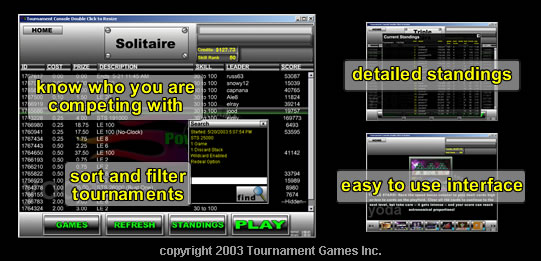
For screenshots and detailed information on the Console Click Here
If you need help, Some frequently asked questions are discussed here along with software update links. Also you can check Microsoft's Windows Update to make sure your system is up to date.
Details Instructions:
1.Free Software Download.
The Tournament Console Software is your FREE Gateway to
entering hundreds of different style tournaments in our different games. From
the Tournament Console, you will find Who you are competing
against, How well they played, and Which
tournament style is your favorite. You can Sort the
tournament lists, Search for a particular type, and see
detailed statistics on your's and your competition's playing
skill.
2. Free Account
- There is no charge to play our FREE tournaments, you do not even have to create an account.
Just Download and install the Tournament Console, and log with the "guest" username and "guest"
password.
To compete in the Cash Prize Tournaments, a valid Tournament Games Account is required. There is NO CHARGE to create an account. We even give
you $10 Game Credits to get started!.
If you do not want to sign up for a free account, you can log in using "guest" as your username
and "guest" as your password.