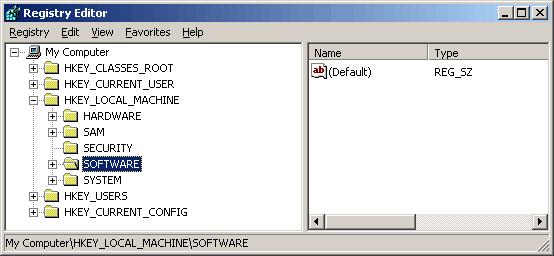
4 Now click the + next to Software and scroll down until you see
Tournament Games Inc. like so:
For problems with a game not loading:
1 Click Start
2 Click Run
3 Type regedit
You should see a screen similar to:
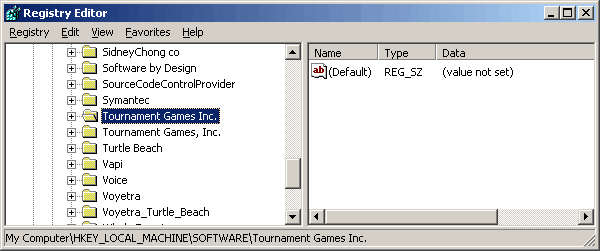
4 Now click the + next to Software and scroll down until you
see
Tournament Games Inc. like
so:
5 Click the + next to Tournament Games Inc, then General then Clients and you should see:
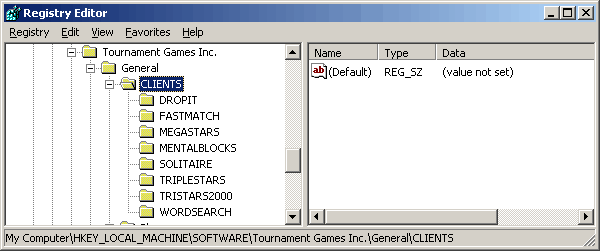
Delete the folder corresponding to the game you are having problems with. The next time you try to play that game, the console wil prompt you to reinstall this game.